


Let’s take a look at the most viewed tutorial videos from the last 4 releases according to our YouTube channel. These are the most popular videos.

Our Q3 release is out! The 4.40 Release highlights new functionality such as BOM Backflush Override Option and Component Stocking UOM Change Utility. And more!

Our Q2 release is out! Check out the 4.39 Release highlighting new functionality added by our development team. We add new features each quarter.

Check out our 4.38 Release highlighting new features and functions added by our development team in the first quarter of 2022!
Check out our 4.37 Release to see what new features and enhancements have been added to our product. We think you’ll like them!
These new enhancements are part of our product development roadmap with direction coming from our stellar dev team, trends in the industry and from our customers directly.

Happy New Year!
Let’s look back at our top 10 most viewed release how-to videos from 2021. We create these videos for many of our new release features.

Quarter 3 is a wrap! Check out our 4.36 Release to see what new features and enhancements have been added to our product. We think you’ll like them!
These new enhancements are part of our product development roadmap with direction coming from our stellar dev team, trends in the industry and from our customers directly.
Q2 is over and we’ve released our quarterly update. Check out all the new features and functionality added to Release 4.35.
These new enhancements are part of our product development roadmap with direction coming from our stellar dev team, trends in the industry and from our customers directly.
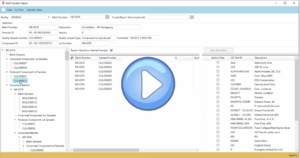
The Planning Workbench can now retrieve and display formulas for which there are no open planned orders or batches. In addition, the list can be filtered for formulas that have activity, formulas that have no activity, or all formulas. Previously, formulas without activity would not show up on the Planning Workbench.
Attributes can now be configured as assignable to components, formulas, or both. To support this feature, two visibility settings have been added to the Attributes Setup window: Hide for components, and Hide for formulas. When an attribute is hidden, the hidden attribute and any child attributes will not be available for selection on the applicable window.