

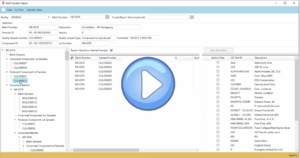
The Planning Workbench can now retrieve and display formulas for which there are no open planned orders or batches. In addition, the list can be filtered for formulas that have activity, formulas that have no activity, or all formulas. Previously, formulas without activity would not show up on the Planning Workbench.
Attributes can now be configured as assignable to components, formulas, or both. To support this feature, two visibility settings have been added to the Attributes Setup window: Hide for components, and Hide for formulas. When an attribute is hidden, the hidden attribute and any child attributes will not be available for selection on the applicable window.
Automatically assigned lot numbers can now be defined by batch type in addition to facility. This allows you to have unique lot number definitions for each batch type at a facility.
New functionality added to Release 4.34 that builds on project entry feature added a few years ago.
External documents can now be associated with a project.
The end item lot numbers can now be automatically assigned when a lot tracked end item is added to a batch. The setting can be enabled either for a facility or batch type. The setting applies to end items added to a batch via the Batch Entry window, or when an end item is added to a batch by converting planned orders to batches.
Previously, lot numbers were automatically assigned only when an end item quantity to complete was entered.

Release 4.34 is out now! Check out what we’ve been developing these last few months.
These new enhancements are part of our product development roadmap with direction coming from our stellar dev team, trends in the industry and from our customers directly.

Release 4.33 is out now!
These new enhancements are part of our product development roadmap with direction coming from our stellar dev team, trends in the industry and from our customers directly. We love getting to know our clients and understanding how they use the product to run and grow their businesses. Helpful feedback and conversations provide guidance for our product releases and updates.
We are very proud to say that this is a mindset we’ve had from the very beginning.
Since we add new features each quarter, here’s how we stayed busy in Q4 2020.

As we are all settling in for the home stretch to January 2021 (bye, bye 2020), our development team has been heads down adding the latest features and functionality available to our Vicinity customers.
As a formula manufacturing software system that accommodates the complexities of batch processing, Vicinity’s scalability makes it a top choice among chemical manufacturers, food producers and brewers. It Integrates easily with key platforms—including QuickBooks or Microsoft Dynamics—to deliver a comprehensive software solution that grows with your business.
Batch Quality Inquiry is a new Quality feature that displays all quality samples and QC tests for a batch, for lot tracked components produced by a batch, and for lot tracked components consumed by a batch. It performs a multi-level inquiry and displays quality sample information for all batches that produce lot tracked ingredients that are consumed by the parent batch.
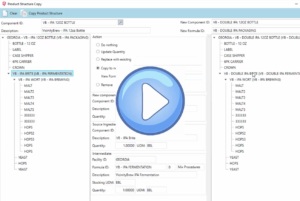
Import Forecast is a new feature that populates the Vicinity Forecast table directly from an Excel spreadsheet. It can also create an empty Excel “template” file that is ready to be populated either manually or with your forecasting tool and then imported into Vicinity.